
Not all app updates are created equal. Some are big, flashy affairs that bring new features and complete visual overhauls. Then there are the cryptic “Bug fixes and improvements” that make us cringe. Today’s Linea release falls somewhere in-between.
Linea Sketch 4.3.6 won’t fundamentally change the way you work, but it will let you do that work better, faster and more securely. If you’re looking for Liquid Glass, we’re still trying to figure out how Apple’s new UI framework fits into the app – we certainly don’t want it on the canvas while you’re drawing.
We’ve spent months overhauling Linea’s iCloud framework to bring it up to date with changes Apple has made over the years and to handle large libraries much more efficiently. Linea launches more quickly to get you up and running as fast as possible, whether you have a dozen sketches or hundreds. You’ll get feedback when sketches are syncing, and the app won’t freeze when handling large numbers of sketches and projects.
Despite these improvements, we would be remiss if we didn’t remind you to regularly back up your work. Even with safeguards in place, iCloud has been known to misbehave, which can lead to disaster. If you’ve never manually backed up your Linea Sketch library, now’s a great time to do it. Backing up via the Mac is a snap but it can also be done via the Files App. Be sure to follow our step-by-step guide to keeping your creative work safe and sound.
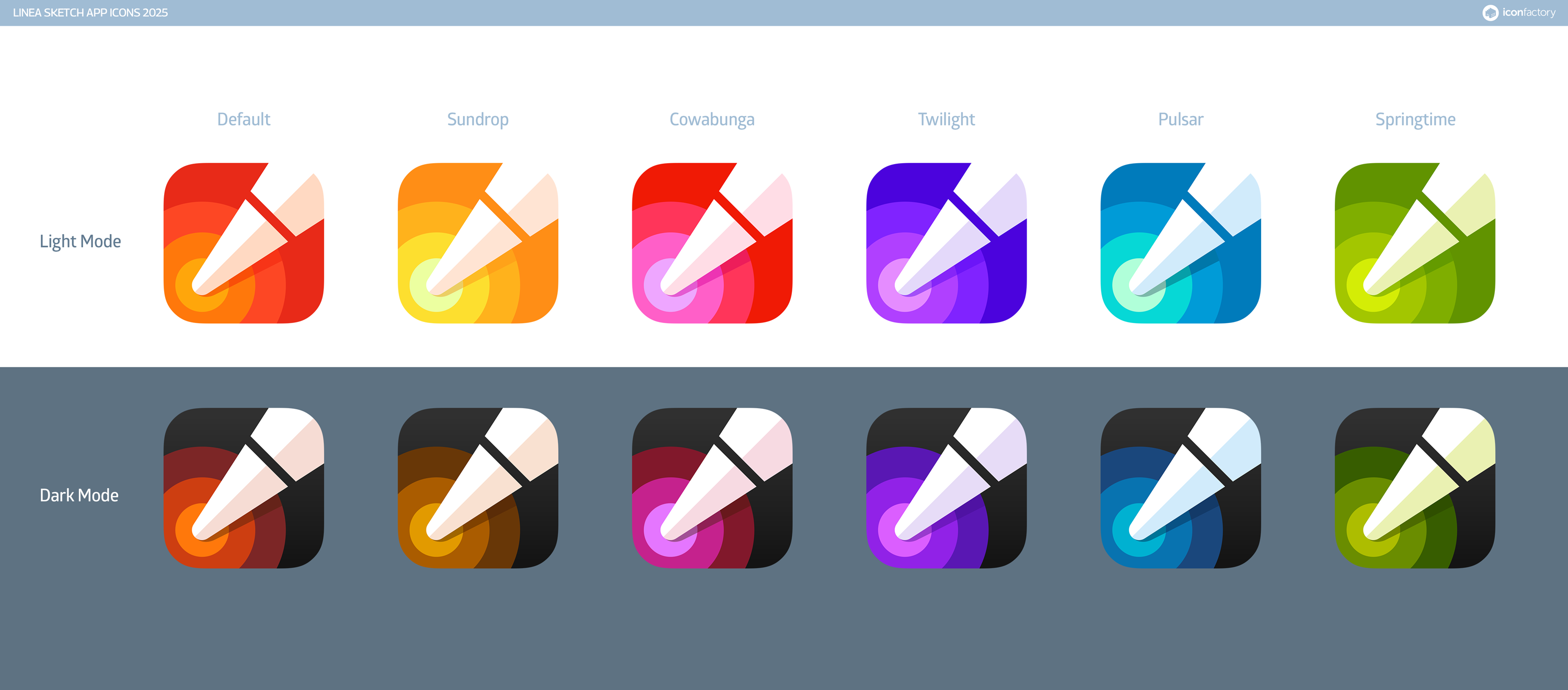
In addition to iCloud improvements, Linea now also sports a new app icon that adapts for light, dark, and tinted mode across all its color themes. Check out the complete version history for more info on the 4.3.6 update.
And if you’re new to Linea Sketch, get started today with a FREE download.